Furniture

Furniture & Interior

AI generates custom designs. Customers configure dimensions and materials. Manufacturing gets cut lists, BOMs, and assembly plans automatically.

Configurable furniture model with materials and cut-list output
Live 3D Preview
Auto BOM & Pricing
Web Embeddable
Examples

Furniture You Can Open Right Now

Every example is a real parametric project: change the dimensions, open the doors and drawers on the real hardware, and the cut list moves with it.

Furniture & Interior example: Fitted kitchen on the system grid

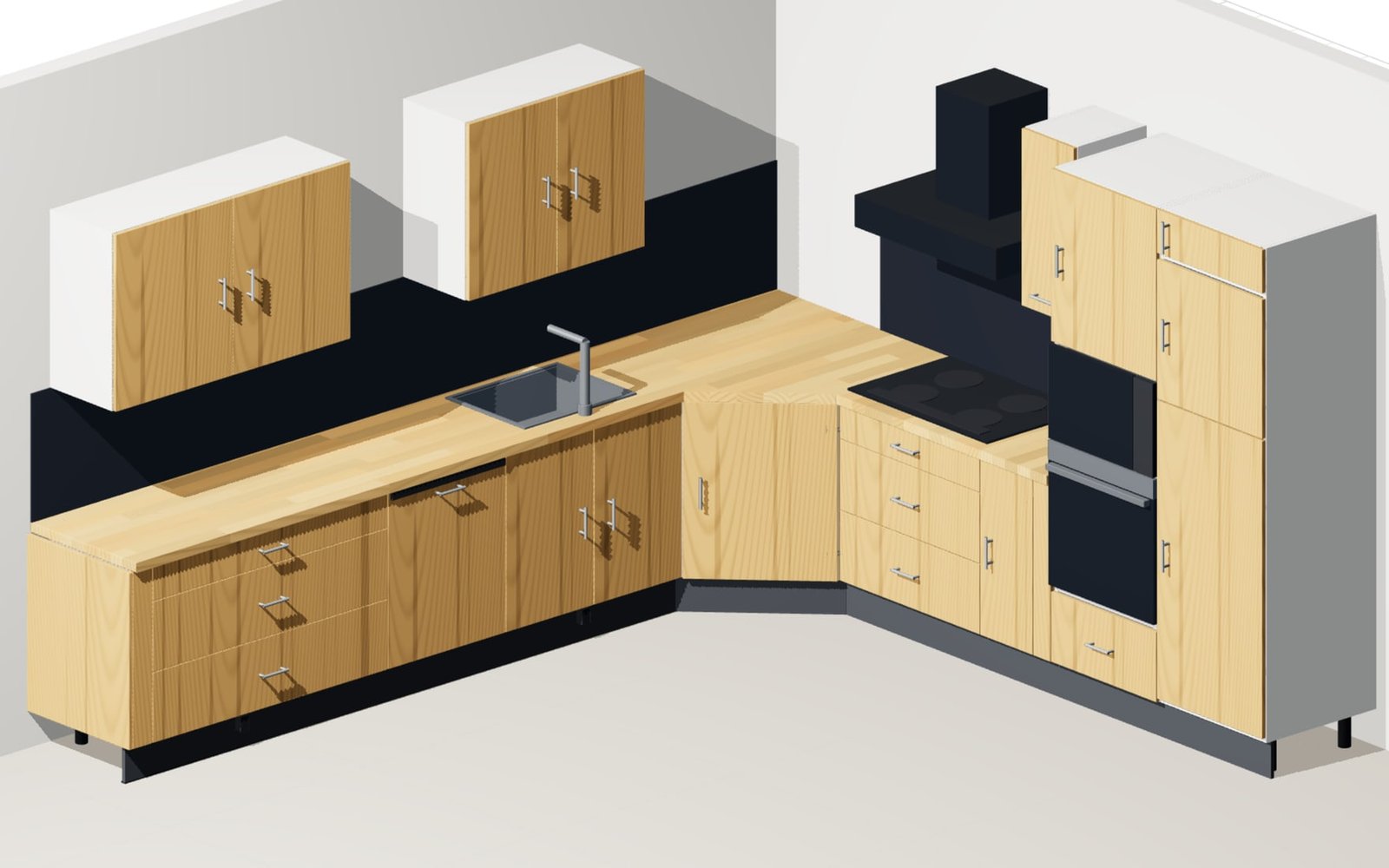
Fitted kitchen on the system grid

Kitchen layout, leg lengths, carcass and worktop depth, working height and appliance sizes are parameters. The corner carousel, the pull-outs and the appliance doors move on the real geometry; filler panels, end panels and the plinth follow every dimension.

32 mm system grid11 sheetsL, U or island
Open example
Furniture & Interior example: Solid timber wardrobe system

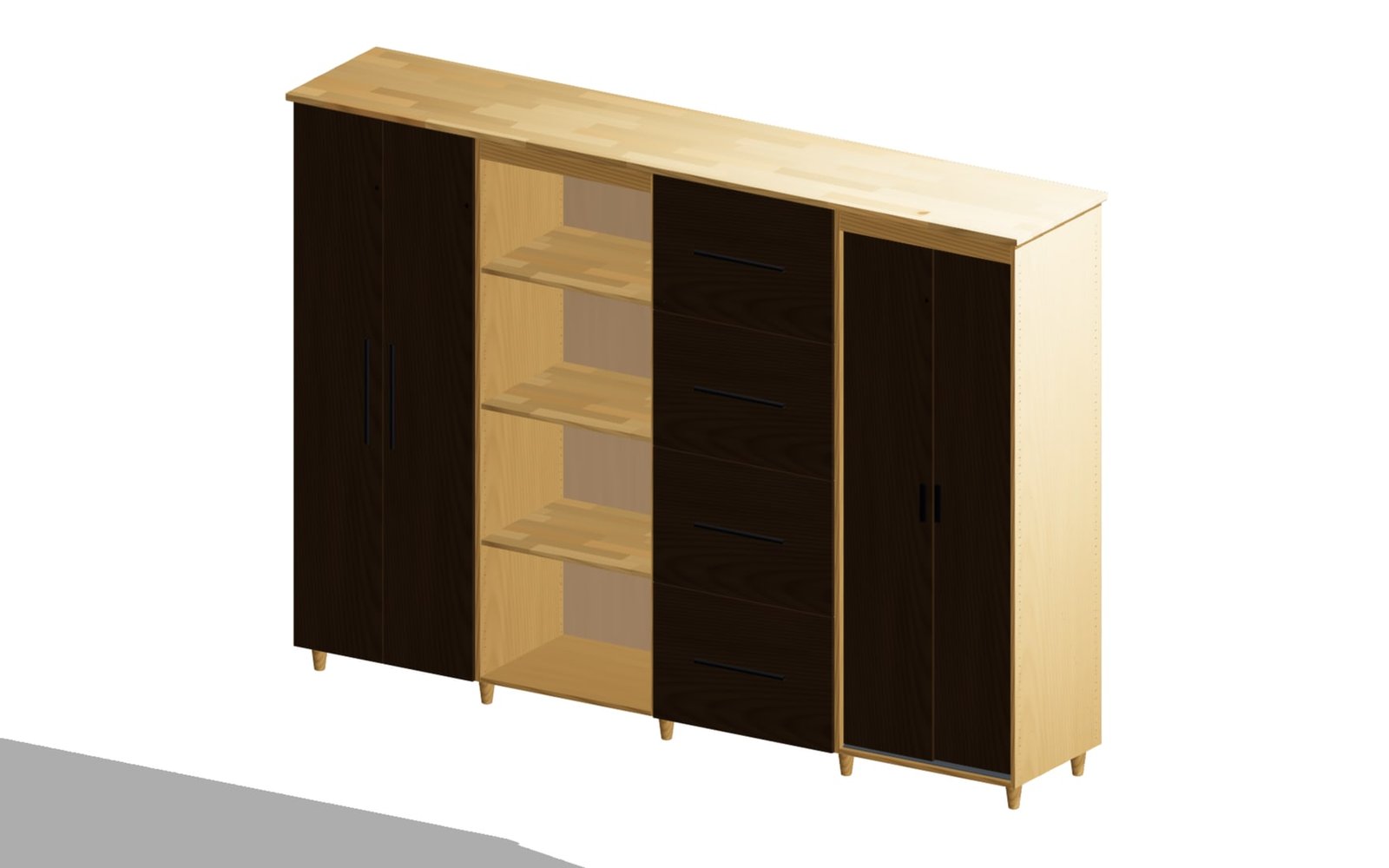
Solid timber wardrobe system

Two to five carcass modules, each with its own front type. Interior fit-out, handles, plinth version and the timber for carcass, fronts and shelves belong to the configuration; doors and drawers run on the real hardware.

1200-4200 mm wideHinged or slidingInterior fit-out
Open example
Furniture & Interior example: Cabinet run under a sloping ceiling

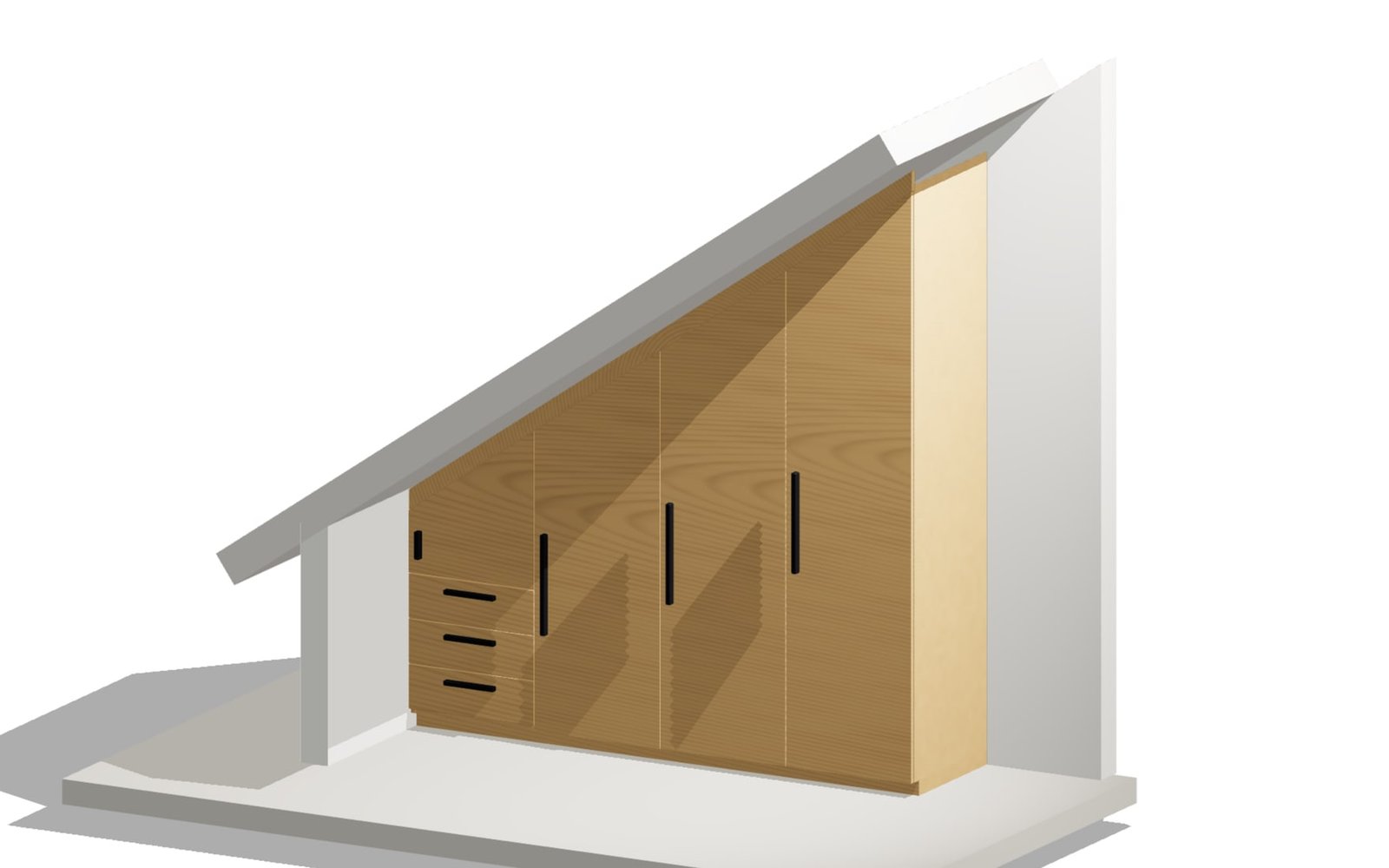
Cabinet run under a sloping ceiling

Every field steps up with the roof pitch and every door is generated as its own trapezoid. The scribe strip against the rafter plane carries a fitting allowance for trimming on site, and the room context can be switched on.

Roof pitch 25-60°2-8 fieldsBoard area calculated
Open example
Customization

Furniture configurators that stay manufacturable

Furniture and interior workflows need beautiful visuals and production logic at the same time. confBuild connects materials, sizes, hardware, pricing, and cut-list outputs in one model.

Show real options Let customers choose dimensions, materials, finishes, and modules in 3D.
Protect production Keep panel thickness, hardware, spacing, and assembly logic valid.
Send usable data Generate BOM, cut lists, images, and order data from the final variant.

From customer choice to workshop data

Bridge visual customization and manufacturing output so every customer choice stays production-ready.

  1. 01
    Configure the product

    Set size, material, layout, accessories, and modules.

  2. 02
    Preview clearly

    Show the selected variant with realistic finishes and proportions.

  3. 03
    Validate rules

    Keep dimensions, hardware, pricing, and assembly constraints consistent.

  4. 04
    Produce outputs

    Create cut lists, BOM, renderings, and order-ready data.

Handoff

Make every showroom choice workshop-ready

The visual configurator can keep materials, panel sizes, hardware, price logic, and order data together as the customer changes the design.

Customer variant Capture the exact size, finish, modules, accessories, and visual state.
Material logic Tie panels, edges, hardware, quantities, and price rules to the selected layout.
Workshop package Generate cut-list data, BOM context, renderings, and order notes without manual cleanup.
Make every showroom choice workshop-ready
Customization

From Customer Choice to Workshop Package

Let customers explore finishes and dimensions while the model keeps material, hardware, price, and production logic intact.

01

Visual Product Configuration

Show the exact cabinet, shelf, desk, kitchen, or interior product with selected dimensions, modules, finishes, accessories, and proportions.

  • Material choices
  • Module options
  • Clear 3D preview
02

Manufacturing Rules

Keep panel thickness, hardware spacing, edge logic, assembly constraints, and allowed size ranges connected to each customer selection.

  • Panel constraints
  • Hardware logic
  • Valid size ranges
03

Pricing and Order Context

Calculate options, materials, quantities, and commercial rules from the current variant so quoting and checkout stay aligned.

  • Option pricing
  • Material quantities
  • Order state
04

Workshop Outputs

Generate cut-list data, BOM context, renderings, and production notes from the same configuration customers approved.

  • Cut lists
  • Hardware BOM
  • Production notes
Outputs

Furniture outputs that help the workshop

Every customer-facing choice can feed a production-ready package.

Configured visuals Clean product views for online sales, quoting, and review.
Cut-list data Panel, material, and size information for workshop preparation.
BOM and hardware Fittings, modules, materials, and quantities tied to the variant.
Order package Customer choices, price logic, and production notes in one place.
Best fit

Best fit

  • Custom cabinets, wardrobes, shelving, kitchens, and modular furniture
  • Interior product teams that need visual sales and manufacturing logic
  • Furniture sellers reducing returns through clearer configuration

Sell furniture in 3D