Engineering

Component Configurators

Standardize component logic once, then reuse it across sales tools, engineering workflows, and customer-facing configurators.

Reusable industrial component kit with variant and export cards
Reusable building blocks
Shared component logic
Consistent project outputs
Examples

Catalogue Parts Assembled into Real Equipment

Four aluminium T-slot builds from native profiles and catalogue connectors — the same component logic reused in a workstation, a robot cell, a rack and a trolley. Change dimensions, start the motion, check the result.

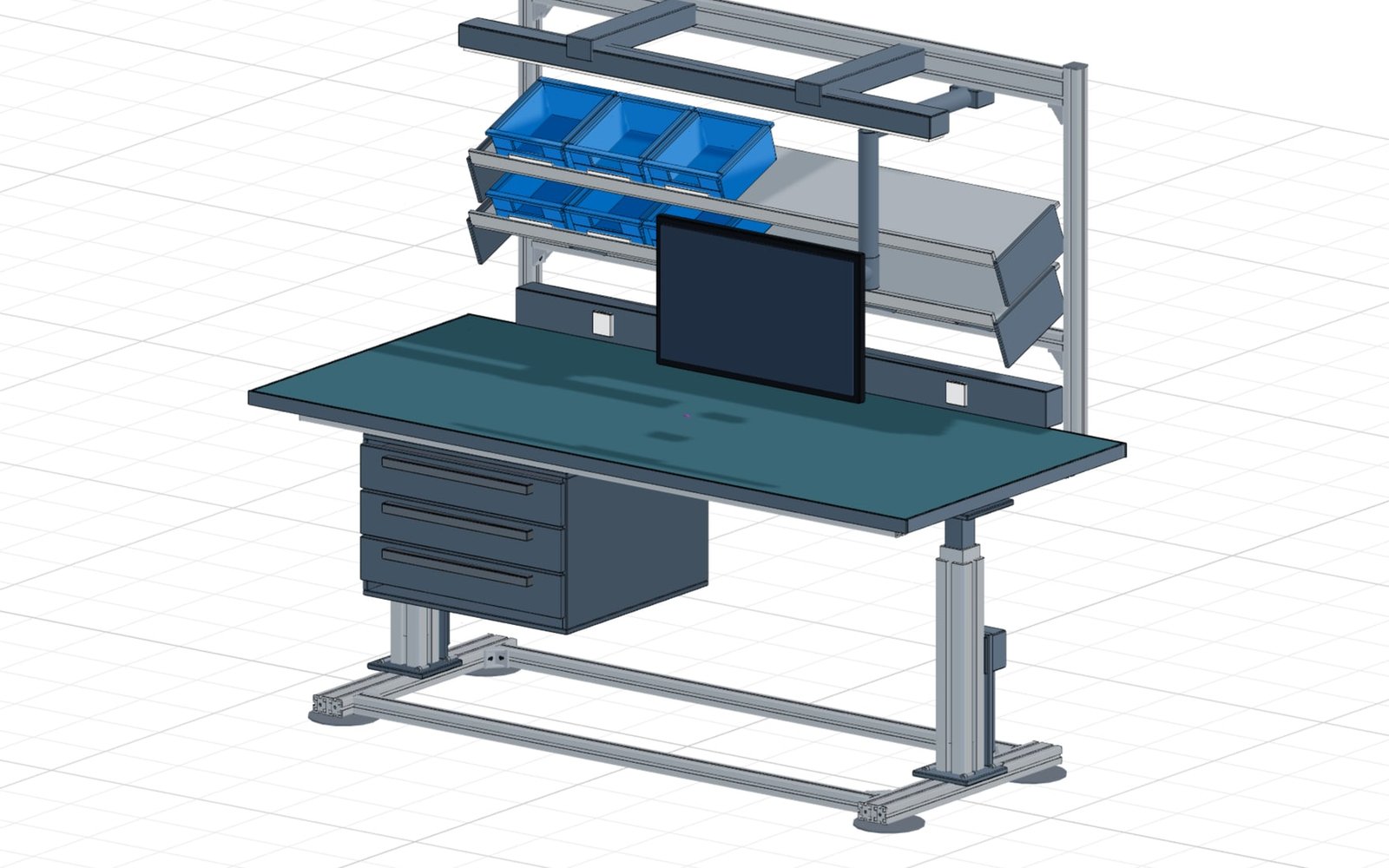
Component Configurators example: Height-adjustable ESD assembly workstation

Height-adjustable ESD assembly workstation

Bench size, working height, Kanban shelf, drawers and monitor arm are parameters. The lift columns raise the worktop from 650 to 1250 mm — top structure, containers and underbench follow.

Grid 40 or 45650-1250 mmKanban shelf
Open live configurator
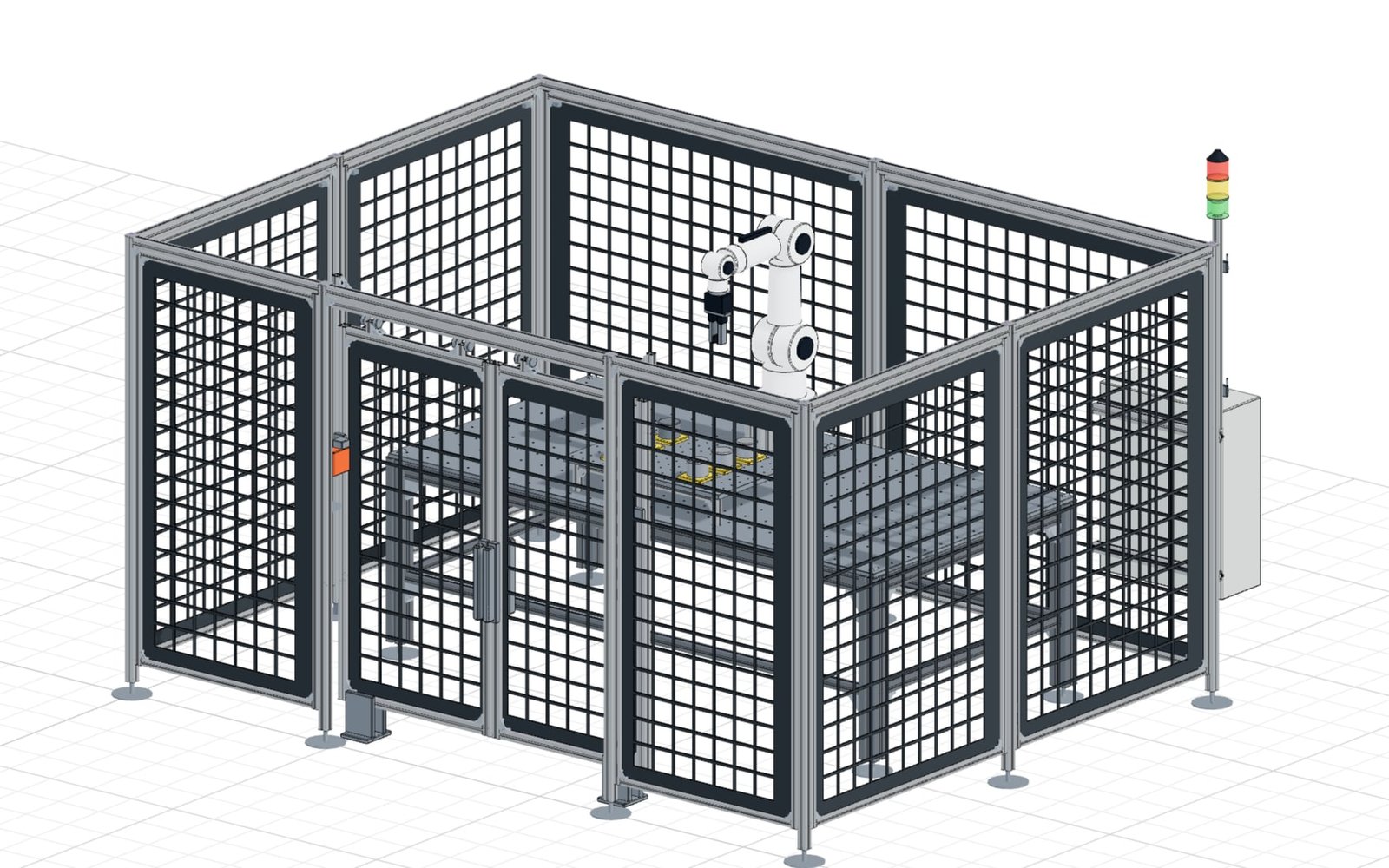
Component Configurators example: Cobot cell with safety fence and sliding door

Cobot cell with safety fence and sliding door

Cell size, fence height, bay pitch and infill generate fence bays, posts, leveling feet and corner brackets as catalogue parts. The two-leaf sliding door runs on its rollers and the cobot executes a pick-and-place cycle.

Cell 2-4 mSliding doorPick-and-place
Open live configurator
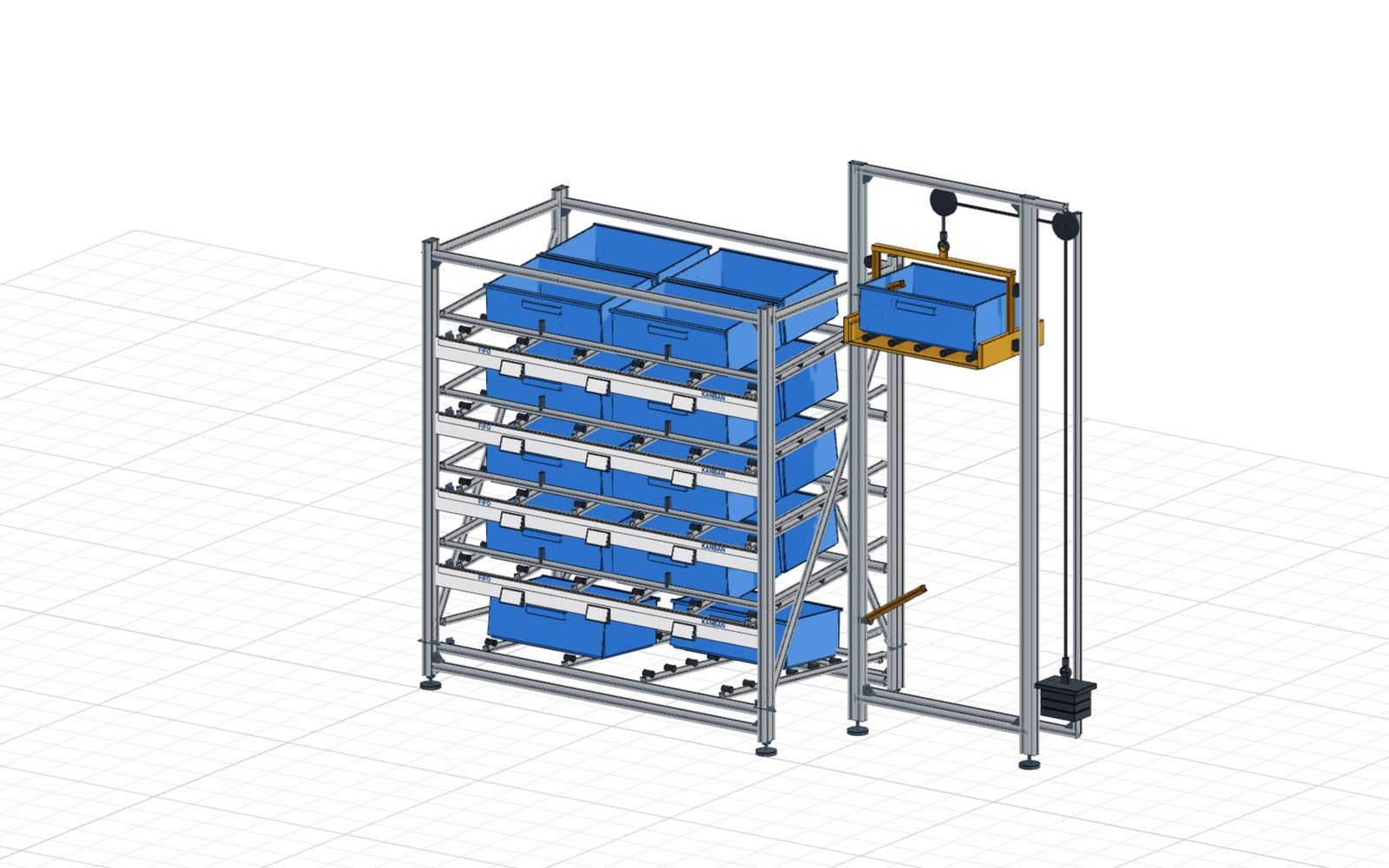
Component Configurators example: FIFO flow rack with Karakuri lifter

FIFO flow rack with Karakuri lifter

Lean equipment as a configuration instead of a hand sketch: lane count, angle and container size drive the rack, and its height grows automatically. Containers run to the stop and the gravity-driven lifter raises its counterweight.

2-5 flow lanesKLT containersKarakuri lifter
Open live configurator
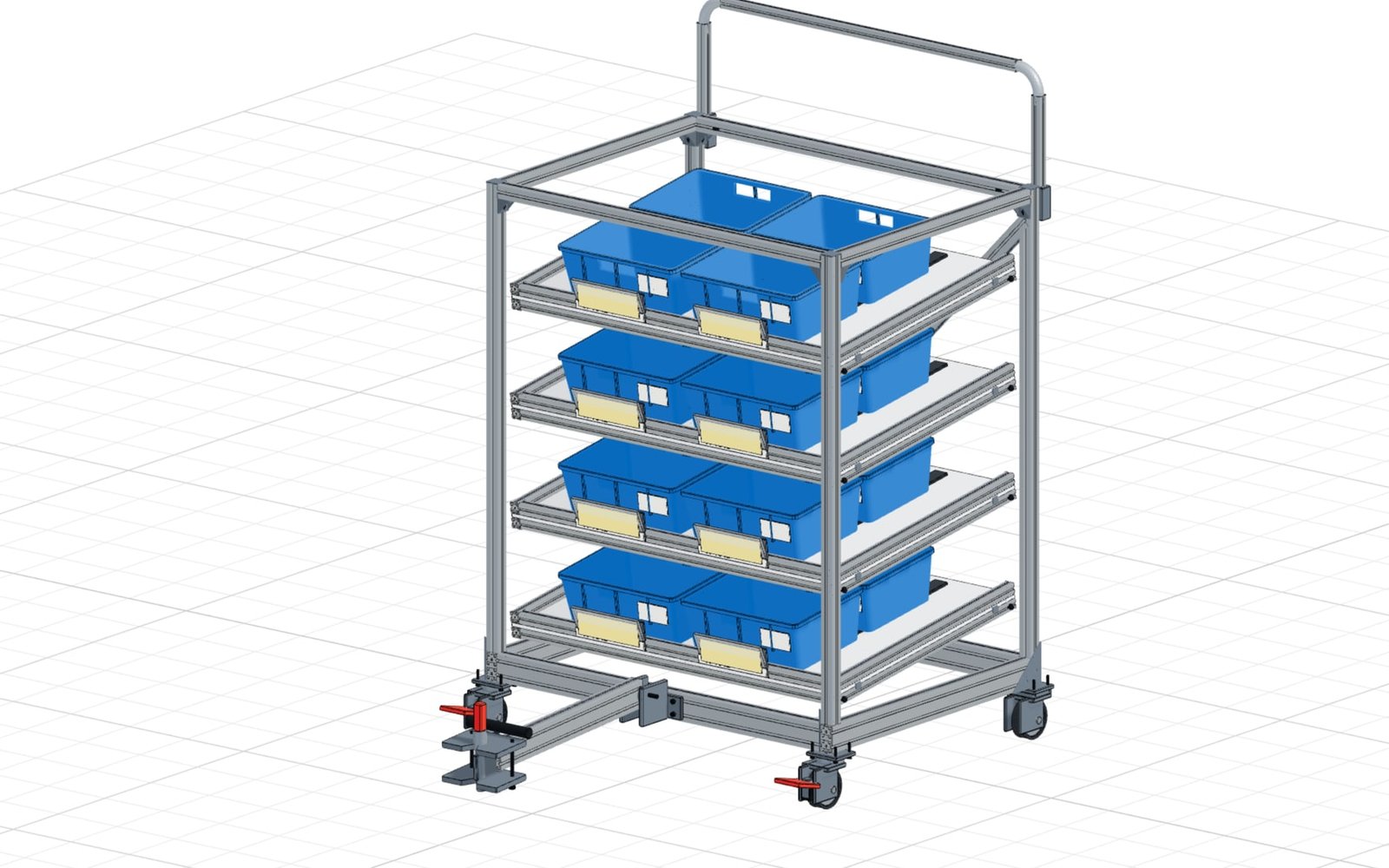
Component Configurators example: Tugger train trolley with tilted shelves

Tugger train trolley with tilted shelves

Trolley size, levels, shelf angle, caster size and container format produce cuts, connectors and accessories in one pass. The trolley rolls, the steering casters swivel in and the drawbar folds for coupling.

2-5 levelsCasters ⌀ 100-200Folding drawbar
Open live configurator
Components

Reusable component logic for every project

Standard parts carry rules, visuals, outputs, and constraints worth reusing across projects. confBuild helps teams turn repeated components into shared configuration assets.

Capture the family Model dimensions, options, compatibility, materials, and output mappings once.
Reuse everywhere Drop shared components into customer tools, internal workflows, and larger assemblies.
Keep output consistent Use the same component logic for geometry, BOM, documents, and quote data.

From standard part to shared building block

Turn repeated component families into controlled modules that stay consistent across every configurator and project.

  1. 01
    Model the component

    Define geometry rules, dimensions, options, materials, and constraints.

  2. 02
    Publish variants

    Expose safe options for sales, customers, or internal engineering teams.

  3. 03
    Embed in assemblies

    Reuse the same logic inside machines, systems, and customer-facing tools.

  4. 04
    Export consistently

    Generate geometry, BOM rows, part metadata, and documentation references.

Handoff

Reuse component logic across every product line

Shared component configurators keep standard parts consistent when they appear inside sales tools, engineering assemblies, and production packages.

Controlled variants Expose only approved size ranges, materials, interfaces, and option combinations.
Shared metadata Carry names, part numbers, purchasing context, documentation, and supplier notes with each variant.
Assembly-ready output Generate geometry, BOM rows, and references that larger configurators can reuse.
Reuse component logic across every product line
Components

Reuse Engineering Logic at Component Level

Create configurable modules for standard parts, supplier components, and company-specific assemblies so teams stop rebuilding the same logic in every project.

01

Standard Part Families

Model repeatable component families such as brackets, supports, housings, adapters, and purchased modules with predefined rules and option sets.

  • Standardized families
  • Managed options
  • Consistent geometry rules
02

Reusable Configuration Logic

Store dimensions, formulas, compatibility checks, and output mappings once, then reuse them in larger machines, systems, or customer-facing configurators.

  • Centralized rules
  • Faster project setup
  • Lower engineering duplication
03

Connected Outputs

Keep every configured component linked to BOM entries, geometry exports, and documentation structures so downstream teams receive consistent data.

  • Library-to-project reuse
  • BOM consistency
  • Export-ready modules
Outputs

Component outputs that stay standardized

Shared logic keeps repeated parts consistent across sales, design, and production.

Variant geometry CAD-ready models for every permitted size and option combination.
Part metadata Names, identifiers, materials, options, and purchasing context.
BOM rows Consistent quantities, nested structure, and assembly mapping.
Documentation links Reusable references for drawings, datasheets, and customer-facing pages.
Best fit

Best fit

  • Teams with repeated brackets, profiles, fixtures, adapters, and supplier modules
  • Manufacturers standardizing part families across many product lines
  • Engineering organizations that want one source for shared component logic

Build a reusable component library

Capture your standard parts and modules once so every project uses the same logic, visuals, and output structure.